Tutorial for Whisper
I am sharing below a tutorial I made for using OpenAI’s Whisper software, which allows you to transcribe interviews.
To download it as a presentation (in French), click here
Whisper
-
Artificial intelligence trained on several language tasks.
-
Based on Python.
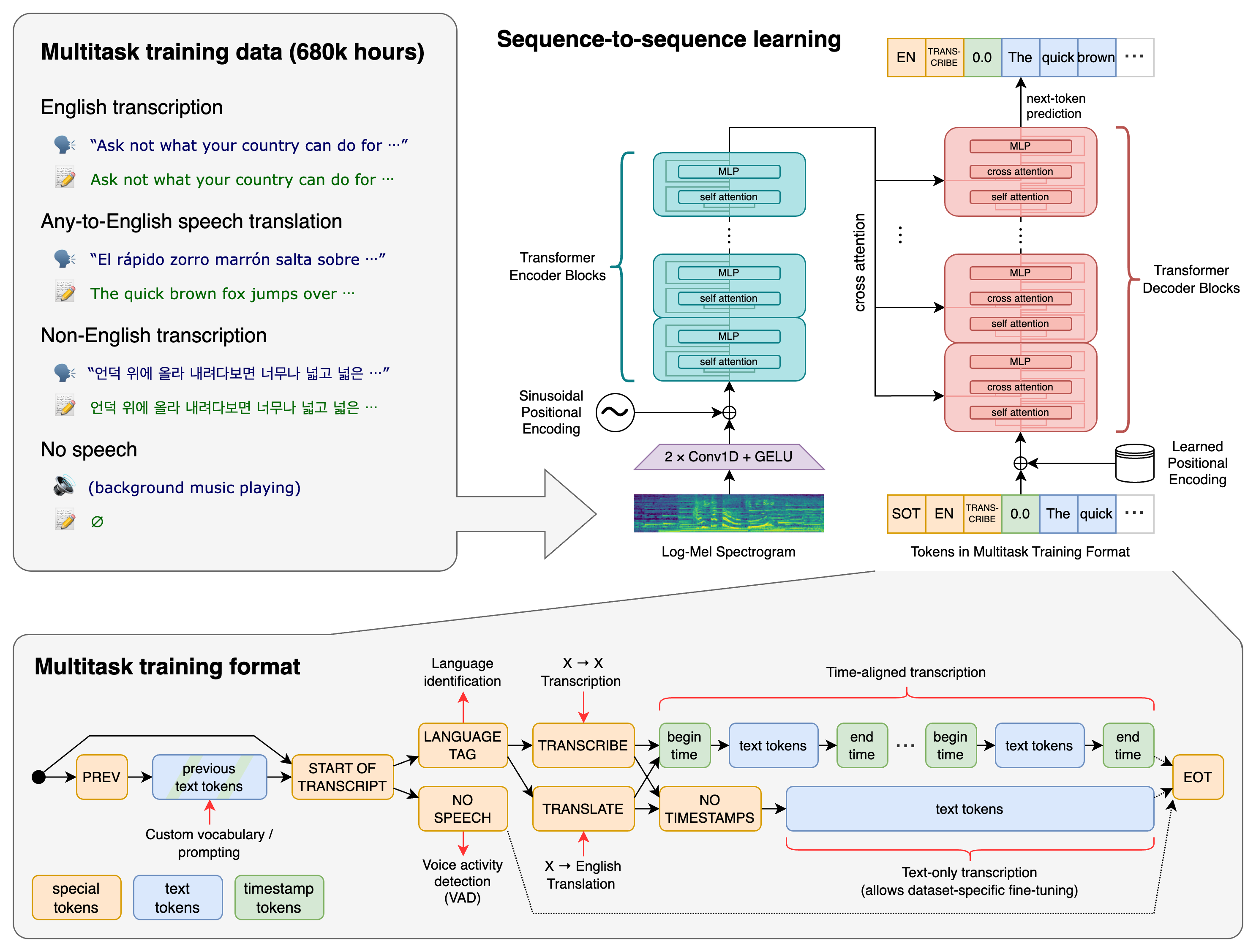
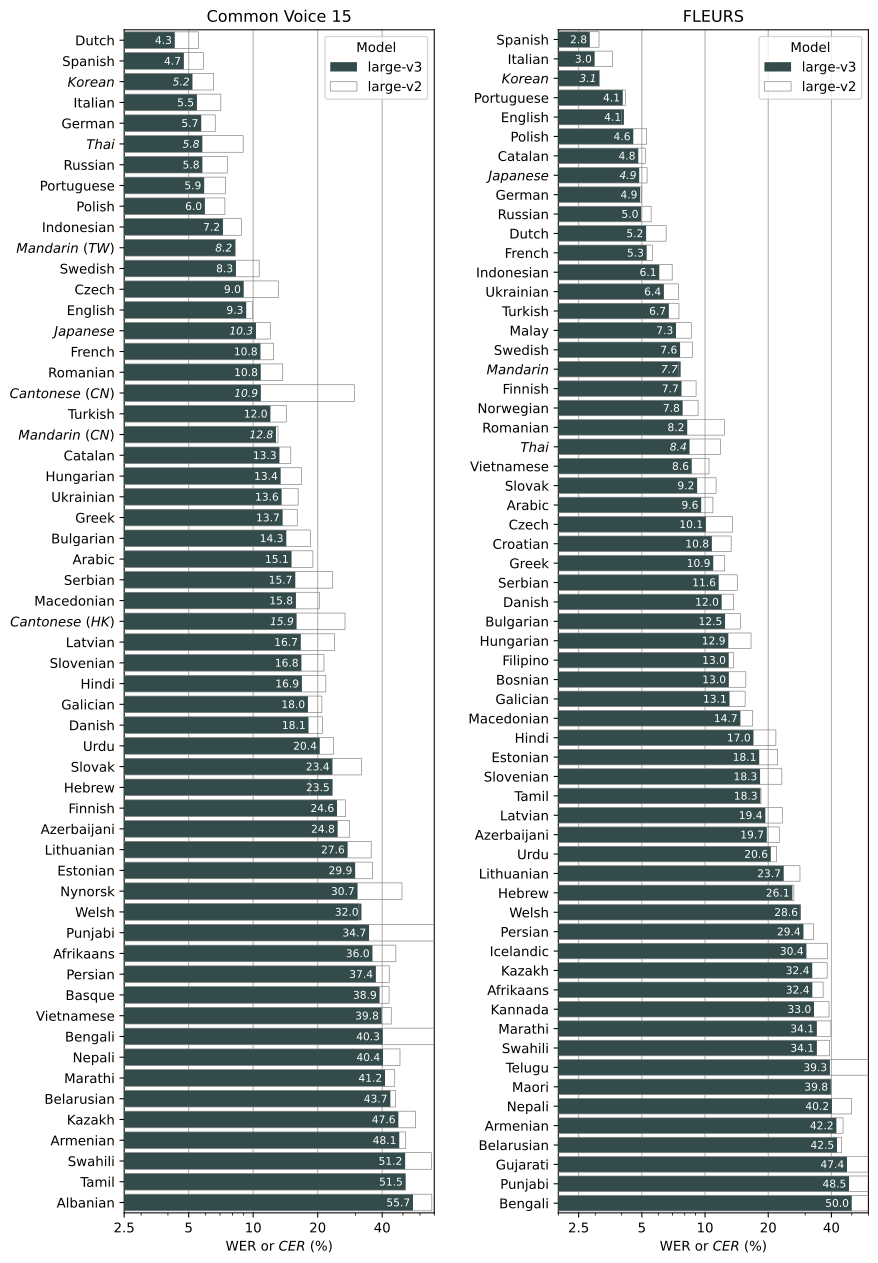
“Whisper’s performance varies widely depending on the language. The figure shows a WER (Word Error Rate) breakdown by languages of the Fleurs dataset using the large-v2 model (The smaller the numbers, the better the performance).”
Google Colab
-
So as not to make the computer run too hard and faster.
-
Detailed instructions here: https://bytexd.com/how-to-use-whisper-a-free-speech-to-text-ai-tool-by-openai.
-
Use GPU (Graphics Processing Unit):
Runtime > Change runtimeand in the drop-down menuHardware AcceleratorchooseGPU, then save.
Using Whisper
-
Install Whisper:
!pip install git+https://github.com/openai/whisper.git. And ffmpeg:!sudo apt update && sudo apt install ffmpeg. Thencrtl+enter. -
Type
!whisper fichier.format. E.g.:!whisper test.mp3. -
If there is a space in the file name, enclose it in commas. E.g.:
!whisper "my favorite interview.mp3". -
For the list of commands:
!whisper --help. -
Automatic detection of the original language, but can be specified in advance. E.g.:
--language Spanish. NB: all commands come after the file name. E.g.:!whisper test.mp3 --language Spanish. -
To translate, in English only:
--task translate. -
Generates various formats at the end of the process, including
.txtand.srt. -
Difficulty recognising the full stop and certain technical words and proper nouns.
Models
- Arbitration accuracy/transcription time.
Smallby default. Command to change:--model medium.
| Size | Parameters | English-only model | Multilingual model | Required VRAM | Relative speed |
|---|---|---|---|---|---|
| tiny | 39 M | tiny.en | tiny | ~1 GB | ~32x |
| base | 74 M | base.en | base | ~1 GB | ~16x |
| small | 244 M | small.en | small | ~2 GB | ~6x |
| medium | 769 M | medium.en | medium | ~5 GB | ~2x |
| large | 1550 M | N/A | large | ~10 GB | 1x |
Local
-
If confidentiality is a concern, it can be run locally.
- You need a terminal and a package manager. To install a manager:
- MacOS: https://brew.sh
- Windows: https://scoop.sh or https://chocolatey.org/
- Linux: already installed.
- Installing Python and its dependencies:
pip install git+https://github.com/openai/whisper.git. Then ffmpeg:
# on Ubuntu
sudo apt update && sudo apt install ffmpeg
# on MacOS with Homebrew (https://brew.sh/)
brew install ffmpeg
# on Windows with Scoop (https://scoop.sh/)
scoop install ffmpeg
- Command without exclamation mark. E.g.:
whisper test.mp3 --language Spanish --model medium --task translate
¿Le ha gustado leer este artículo?
He aquí algunos artículos similares que quizá le interese leer: